DASHBOARD
The network at a glance.
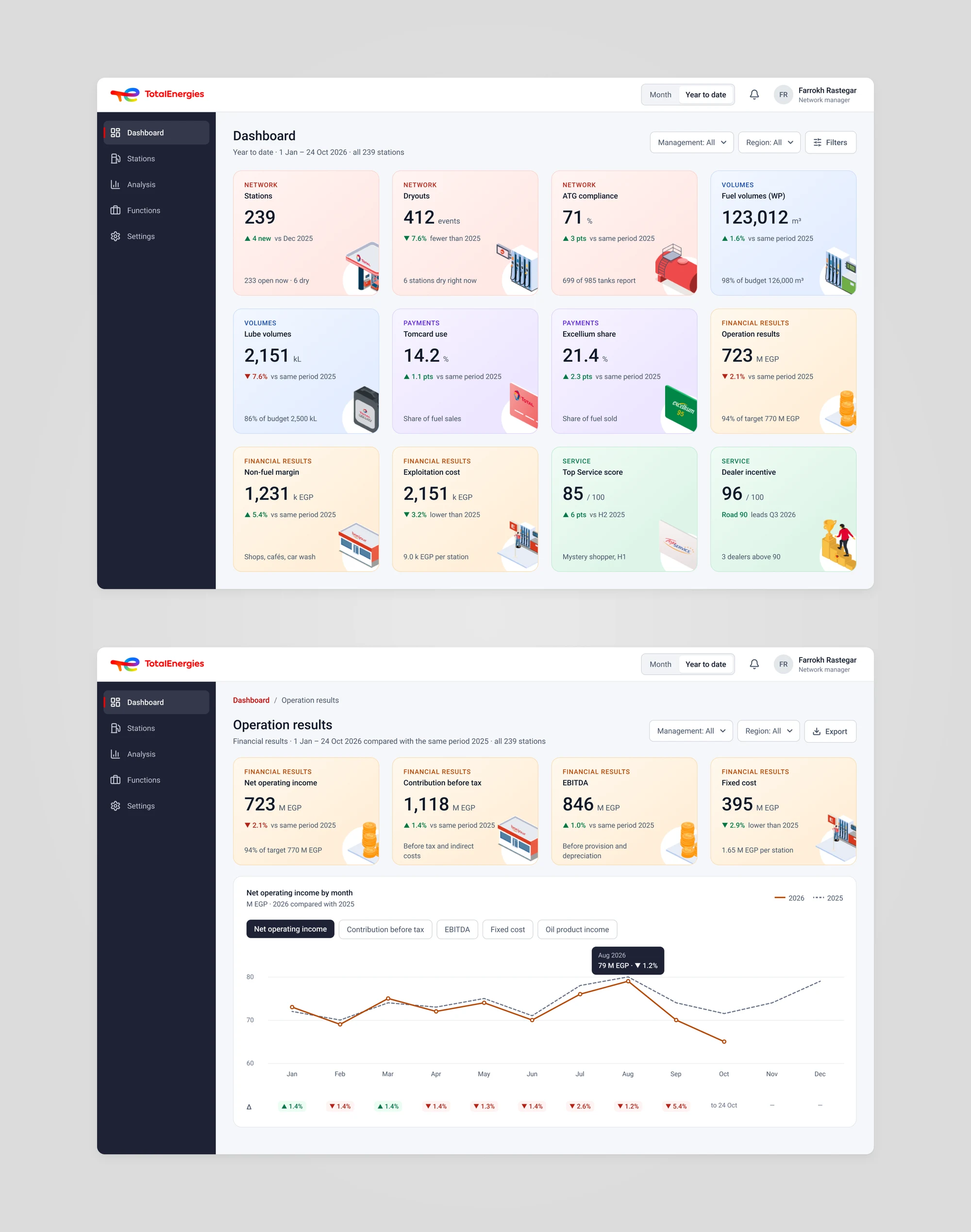
The dashboard shows twelve KPIs for the year to date, each against the same period last year. One click opens the detail: here, operation results by month, with the change for every month.
Energy · SaaS & Platforms
239 stations, one clear picture.
TotalEnergies Egypt runs a network of 239 service stations, some company-operated and some run by dealers. The network team needed one place to see how the stations perform, act on problems the same day and keep every station's record up to date. I designed the UX/UI of the web app.
The challenge
A few regional and territory managers look after hundreds of stations across Egypt. Each station sells fuel, lubricants and shop goods, takes card payments and is checked by mystery shoppers. The app had to turn all of that into decisions people can make in a day.
Fuel and lube volumes, card use, dryouts, tank gauges, financial results and service scores all matter. Managers need to see which ones are off track, compared with last year, without opening a report for each.
A dry pump or a low tank costs sales every hour. The team needs to know which station is affected now, why, and who is dealing with it.
Codes for finance systems, tanks and nozzles, shops and cafés, equipment, depots, photos and service targets. Different people fill in different parts, and it all has to stay correct.
The approach
I kept what the team already knew: the grid of KPI cards and the navy sidebar. Then I made every number explain itself and lead somewhere.
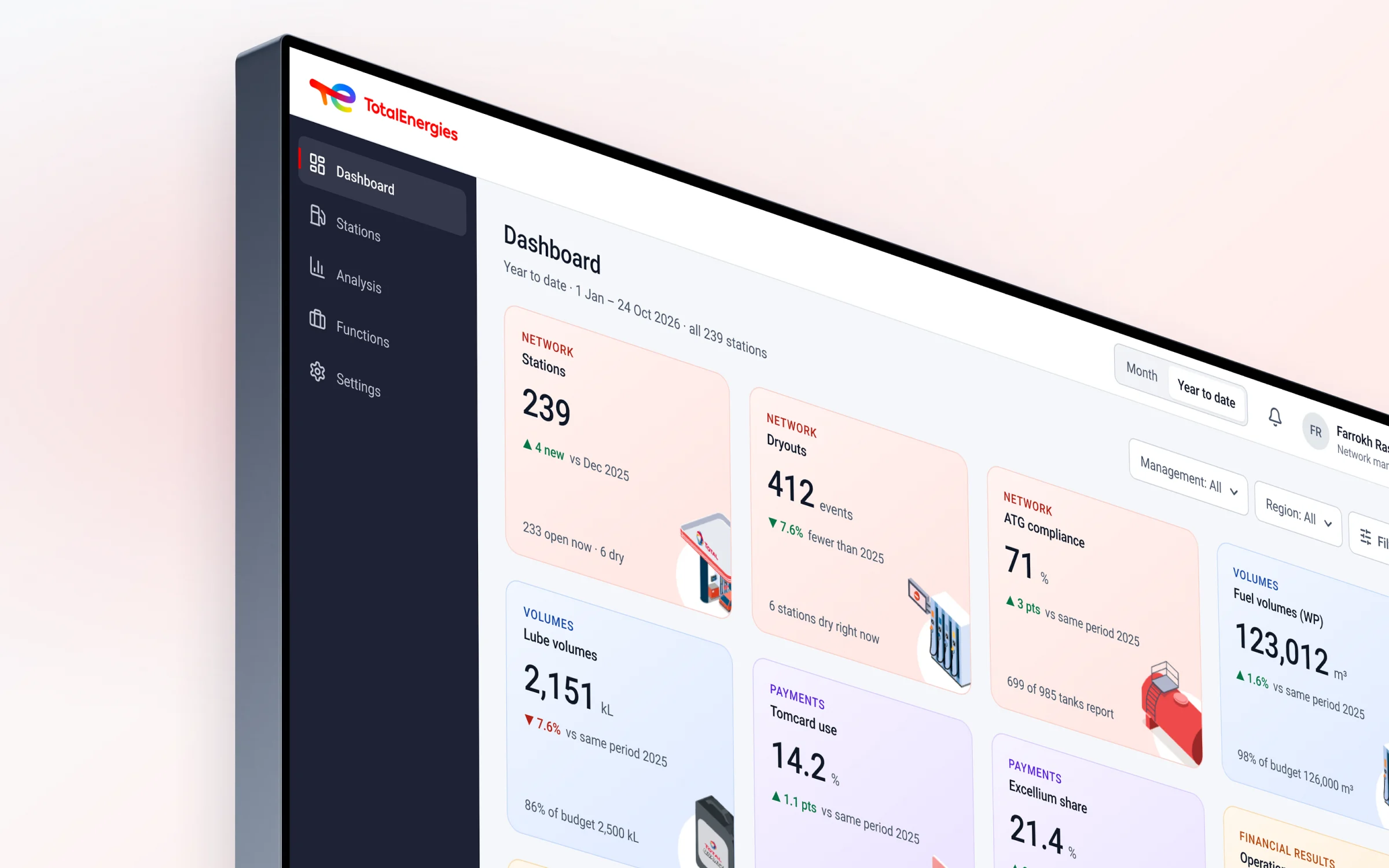
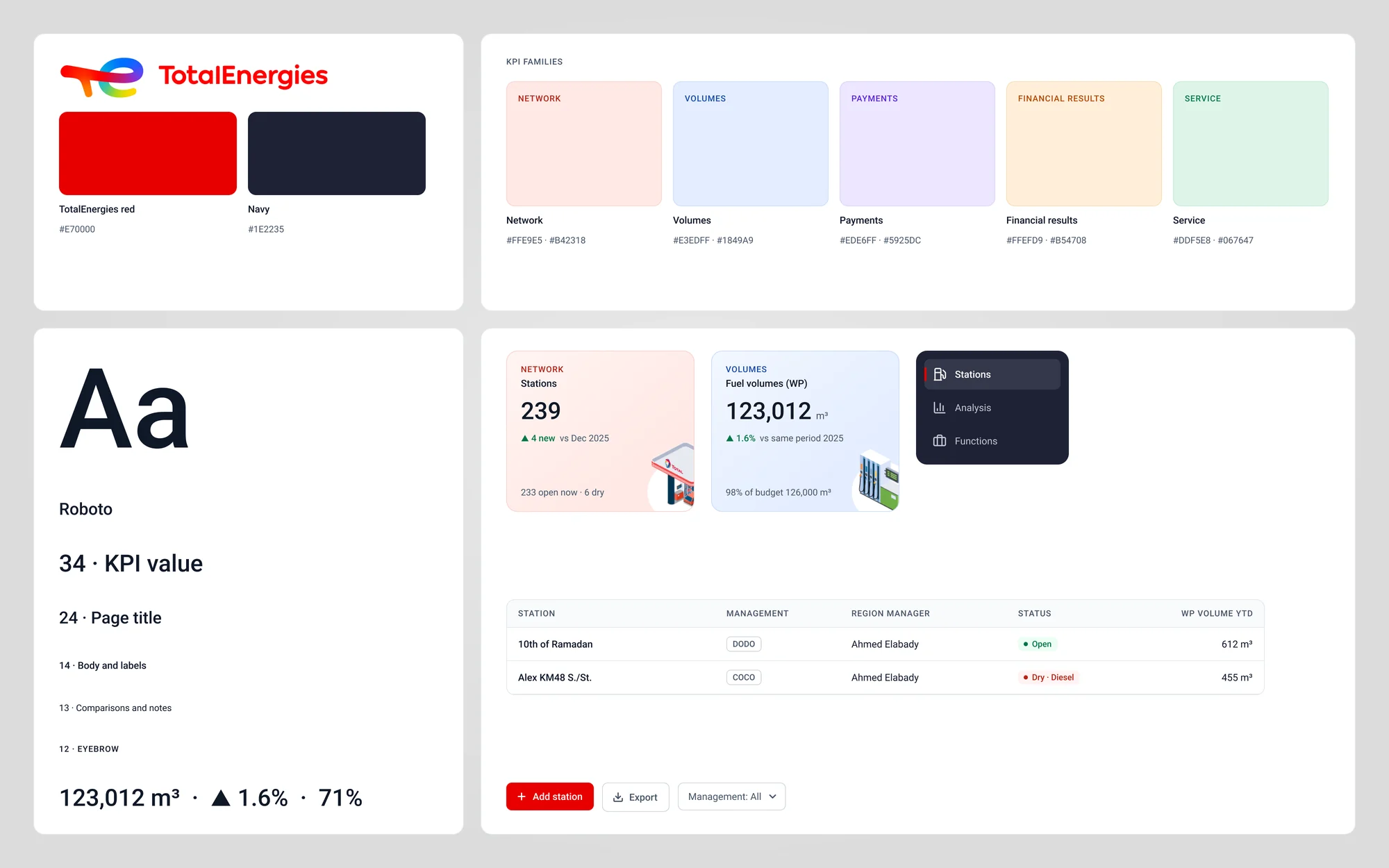
Every KPI card reads the same way: the number, its unit, the change against last year and one line of context. Colour shows the family (network, volumes, payments, financial results or service), and green or red only means good or bad.
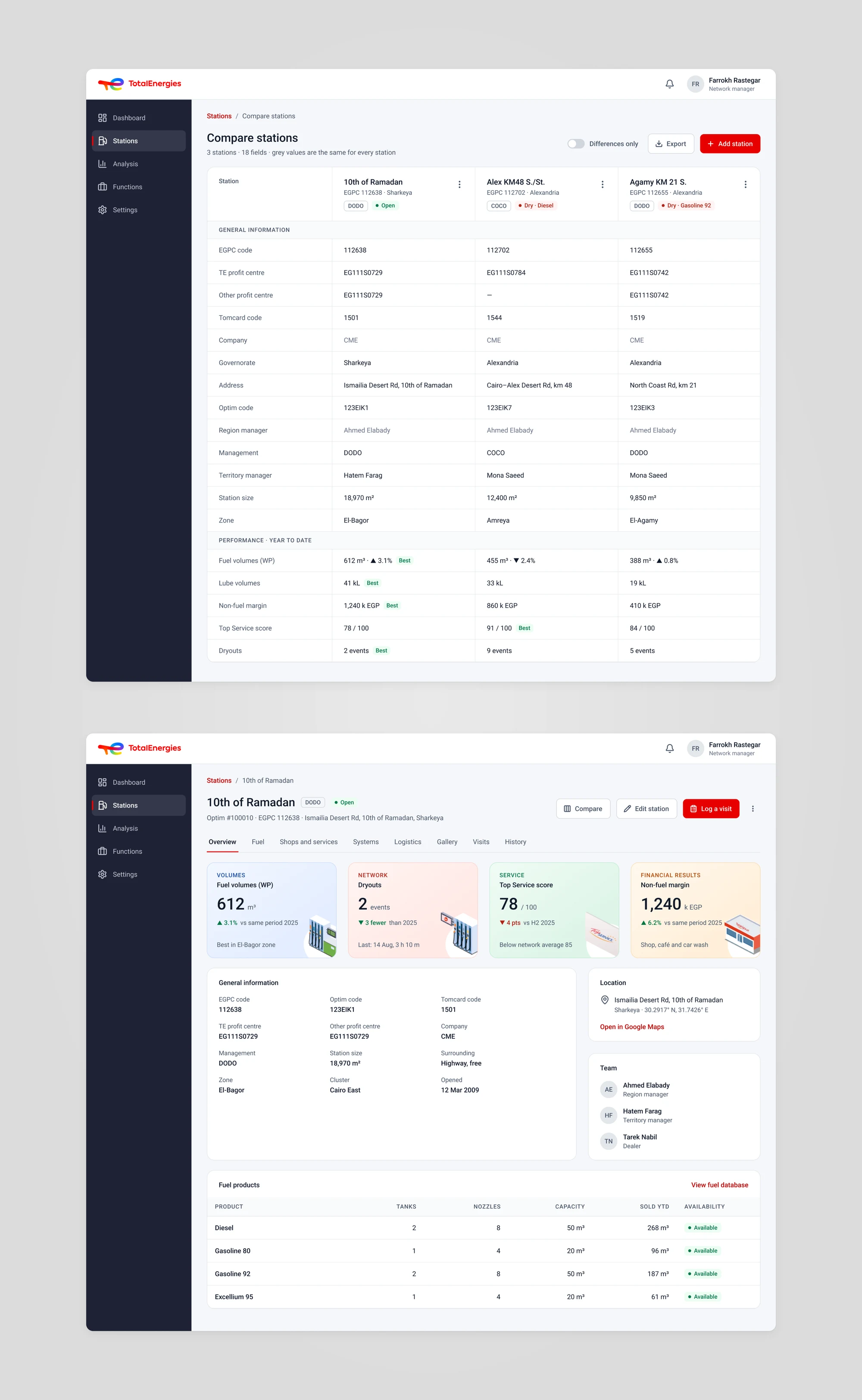
A dryout, a ranking or a search opens the station page. Its tabs hold fuel and tanks, shops, systems, logistics, photos, visits and the change history, and any station can be compared side by side.
Adding a station takes nine short steps with a review at the end. Drafts can be saved at any step, so each team fills in the part it knows.
In action
DASHBOARD
The dashboard shows twelve KPIs for the year to date, each against the same period last year. One click opens the detail: here, operation results by month, with the change for every month.
DRYOUTS AND STATIONS
A manager opens the dryout log, picks 10th of Ramadan and lands on its page. The Fuel tab shows the Excellium 95 tank at 31% with an order due today, and the Visits tab shows the territory manager already flagged it.
ANALYSIS
Start from one KPI and one group, then add up to four lines to compare: a management type, a region manager or a governorate. Each line gets its own colour and style (solid, dashed or dotted), so the lines stay apart even without colour. Hover a month for every value, or regroup by quarter or year.
STATION RECORDS
The station page keeps the whole record in one place. Compare puts stations side by side: values that are the same for all of them turn grey, and the best performer in each row is marked.
ADD A STATION
Each step asks for one part of the record: identity, fuel, shops, systems, logistics, data, photos and service targets. The last step shows everything on one page, with an Edit link for each part.
Design language
The navy sidebar and colour-tinted cards come from the team's first version, now in the TotalEnergies brand. Soft colour families group the KPIs, and TotalEnergies red is saved for the main action on each page. Roboto, the brand's web font, keeps long tables easy to read.
I designed the UX/UI of the TotalEnergies Egypt network app: the dashboard and its drill-downs, stations and their records, analysis, the daily functions for volumes, dryouts and results, and settings. Every page starts from what changed and points to what to do about it.