← All work

HR tech, shift work · SaaS & Platforms

CrewHR

Hear how shift teams feel, every week.

CrewHR helps shift-based businesses run schedules, timesheets and time off. Its feedback module adds short pulse surveys, an anonymous suggestion box and team reports. I designed the module's web app and the marketing website that explains it.

Role
UX/UI design
Scope
Web app and website
Industry
HR tech, shift work
Year
2021
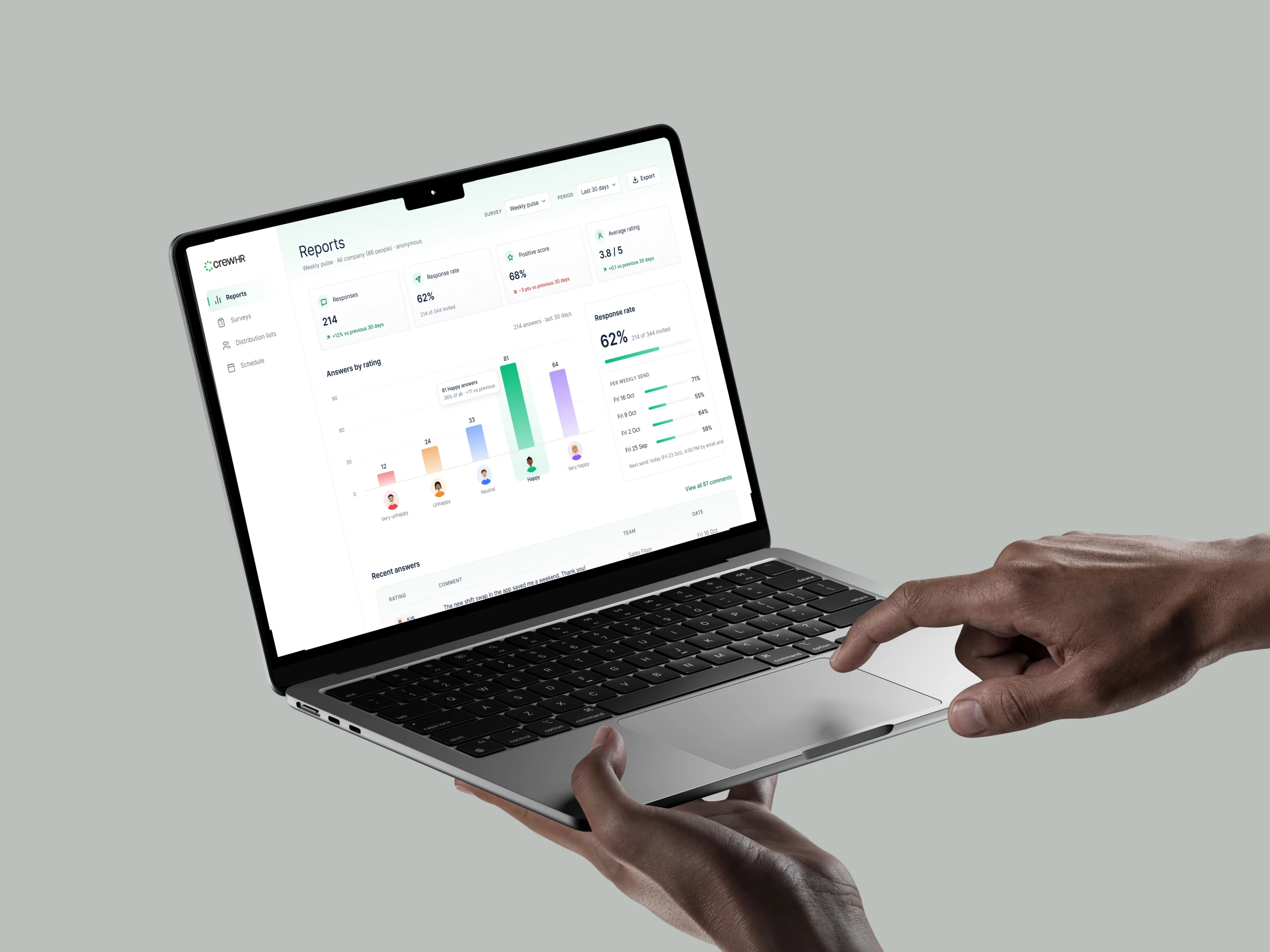
The CrewHR Reports screen on an angled MacBook Air, a hand on the trackpad: 214 responses, a 62% response rate, a 68% positive score and a chart of answers by rating with five illustrated faces

The challenge

Shift teams rarely sit at a desk.

Store, kitchen and warehouse teams work on their feet, on rotas that change every week. Their managers still need to know how people feel before good staff walk out.

The approach

Feedback that fits the working week.

I designed the module around the rhythm shift teams already have: a weekly rota, a quick check-in, and a manager who reads the results on Monday.

  1. 01

    One question, five faces.

    Each survey opens with a rating made of five illustrated people, from very unhappy to very happy, and an optional comment. It takes seconds on any phone.

  2. 02

    Lists and timing from the schedule.

    Teams, roles and certifications sync from CrewHR Scheduler, and surveys respect quiet hours, so nobody gets a message on a day off.

  3. 03

    Reports that point to a team.

    Every number has a trend next to it, and results break down by team, so a team that slips stands out. Small groups stay hidden to protect anonymity.

In action

A week at Oakwood Retail.

REPORTS AND SURVEYS

See how every team feels.

Reports show the week's responses, response rate and positive score, with the rating chart and the latest comments. The Surveys list shows what is live, scheduled or finished, and how many people answered.
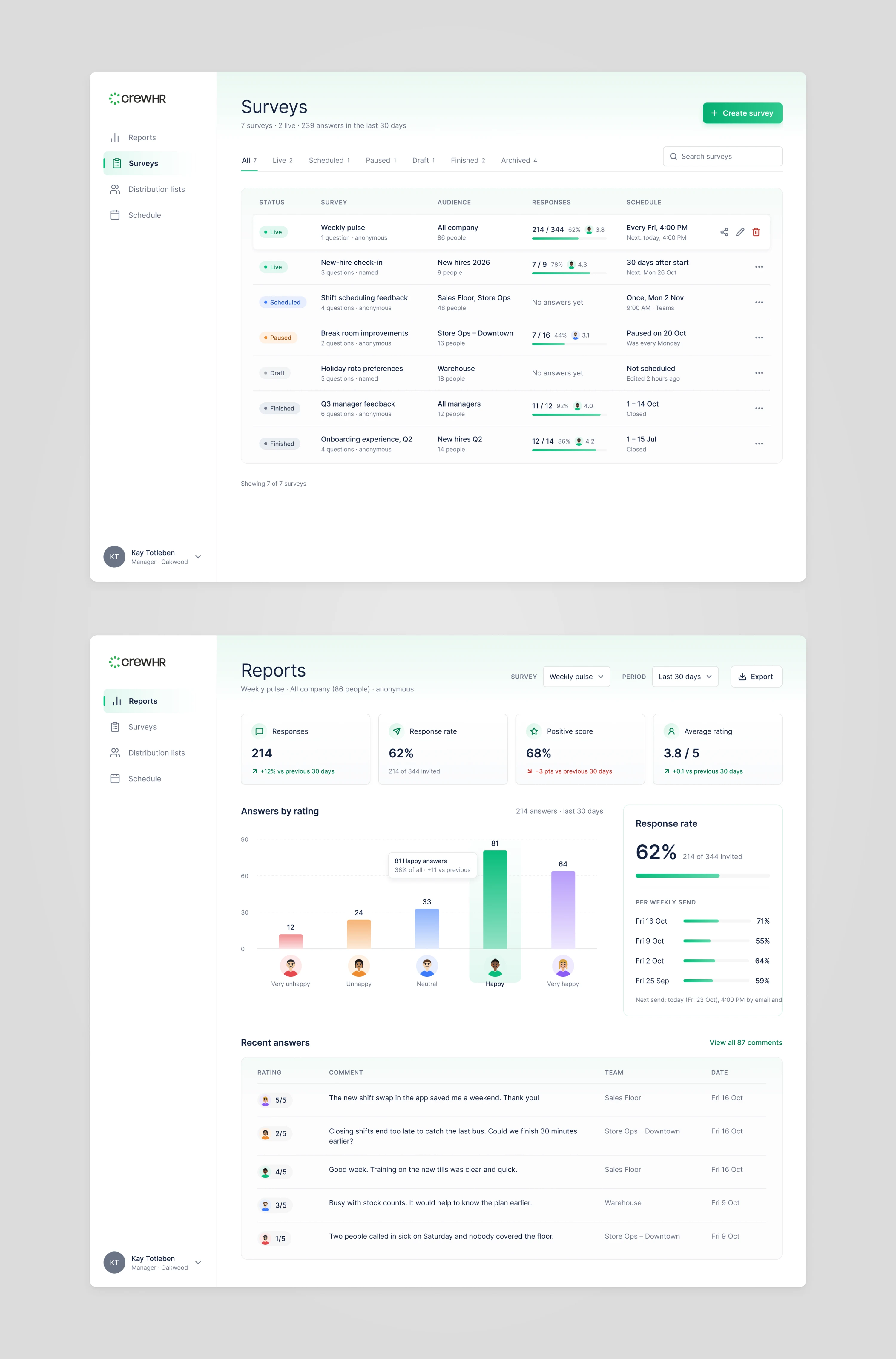
Two CrewHR screens: the Surveys list with live, scheduled, paused and finished surveys, and the Reports screen with response numbers and a chart of answers by rating

CREATE A SURVEY

From question to scheduled in two minutes.

A manager writes the questions, picks the teams, the start time and Microsoft Teams as the channel, checks the summary and schedules it. A live preview shows exactly what staff will see.

LISTS AND SCHEDULE

Lists that keep themselves up to date.

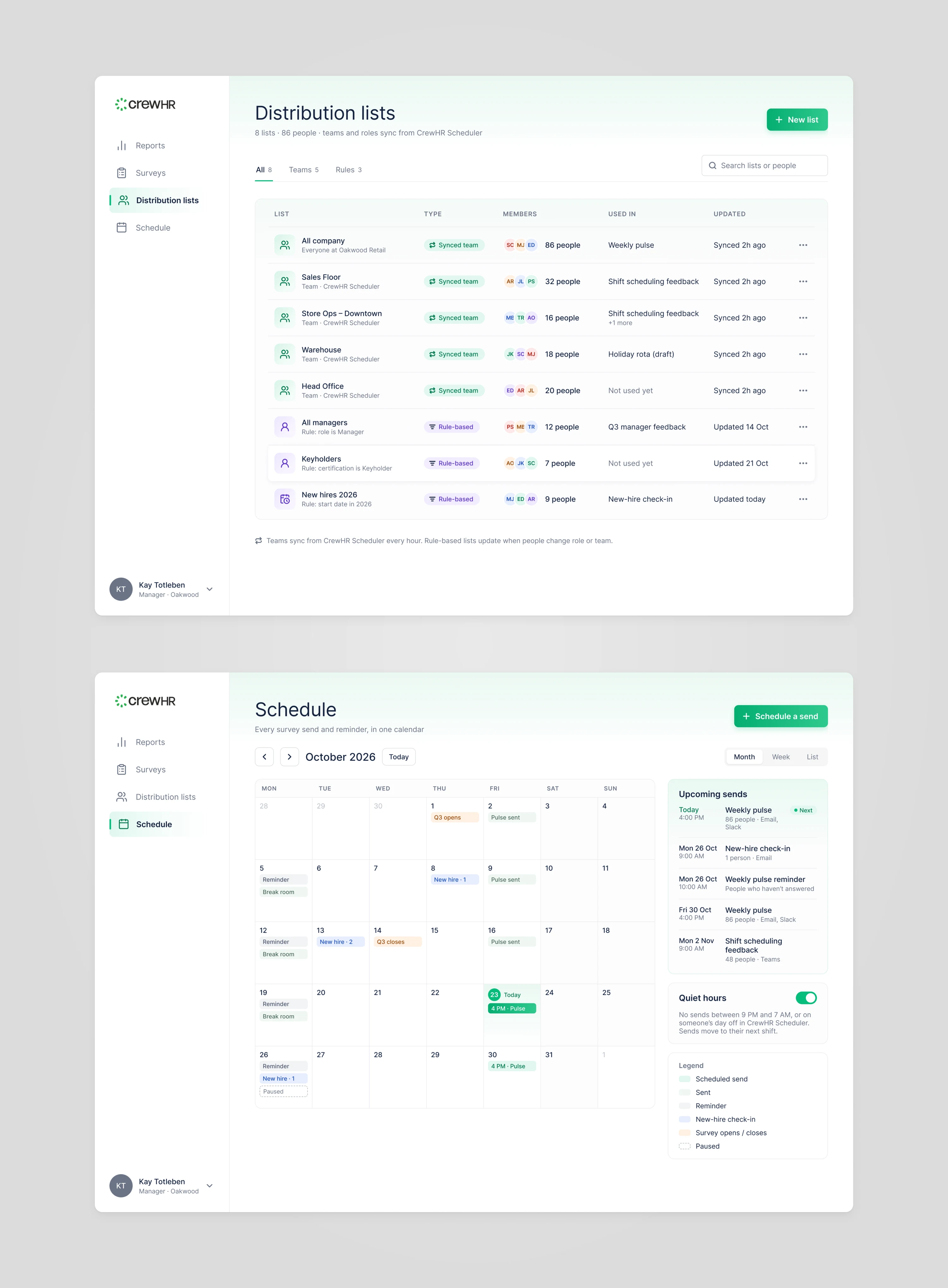
Distribution lists sync teams from CrewHR Scheduler and build rule-based lists like keyholders or new hires. The schedule shows every send and reminder for the month, with quiet hours on.

Two CrewHR screens: distribution lists with synced teams and rule-based lists, and the October schedule with weekly pulse sends, reminders and a list of upcoming sends

WEBSITE

A calm site that shows the product.

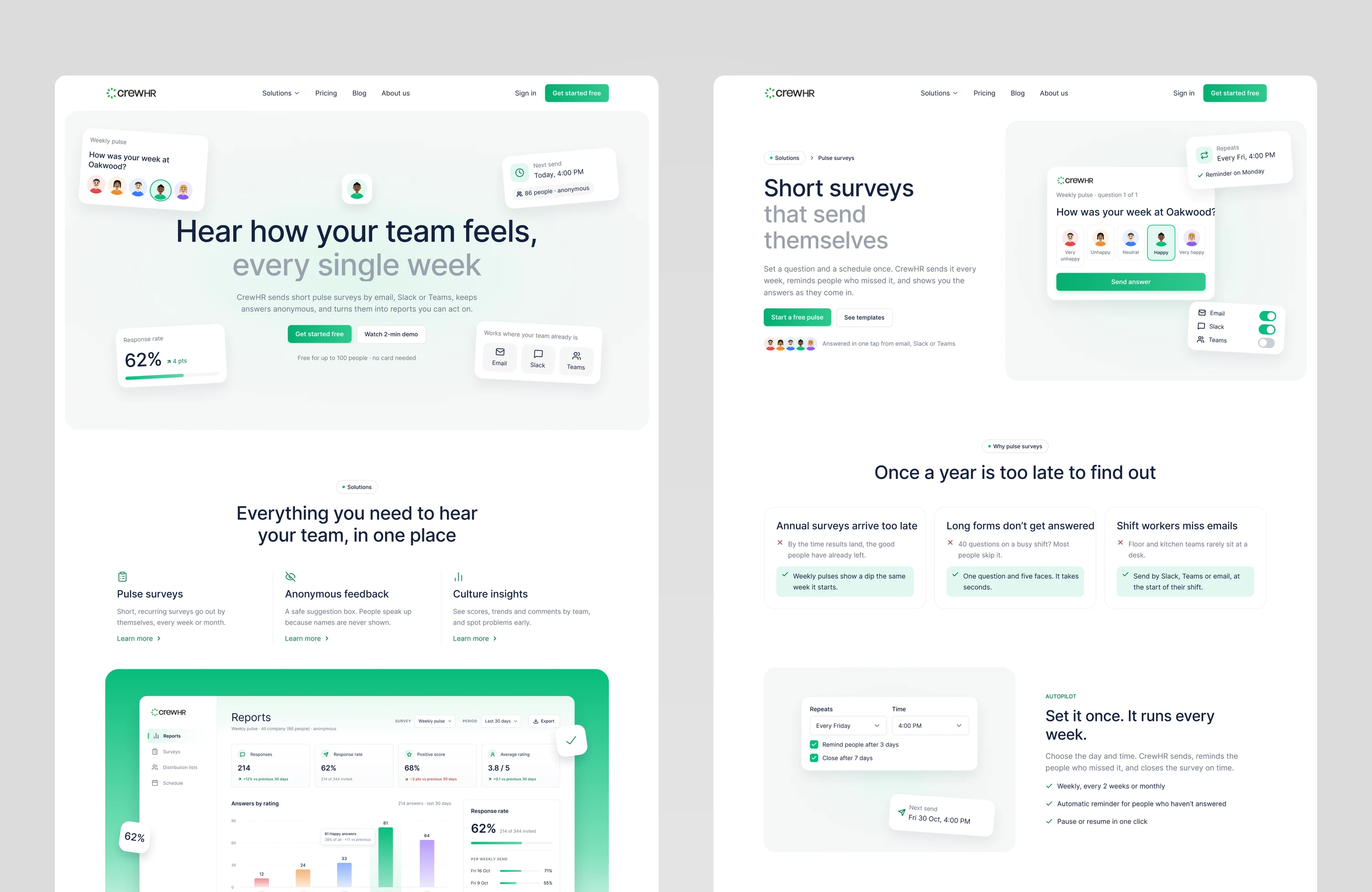
The marketing site explains the module with the product itself: real survey cards float around the headline, each solution gets its own page, and pricing stays simple.

Two CrewHR website pages: the home page with the headline 'Hear how your team feels, every single week' and floating survey cards, and the Pulse surveys page

Design language

Light and easy to scan.

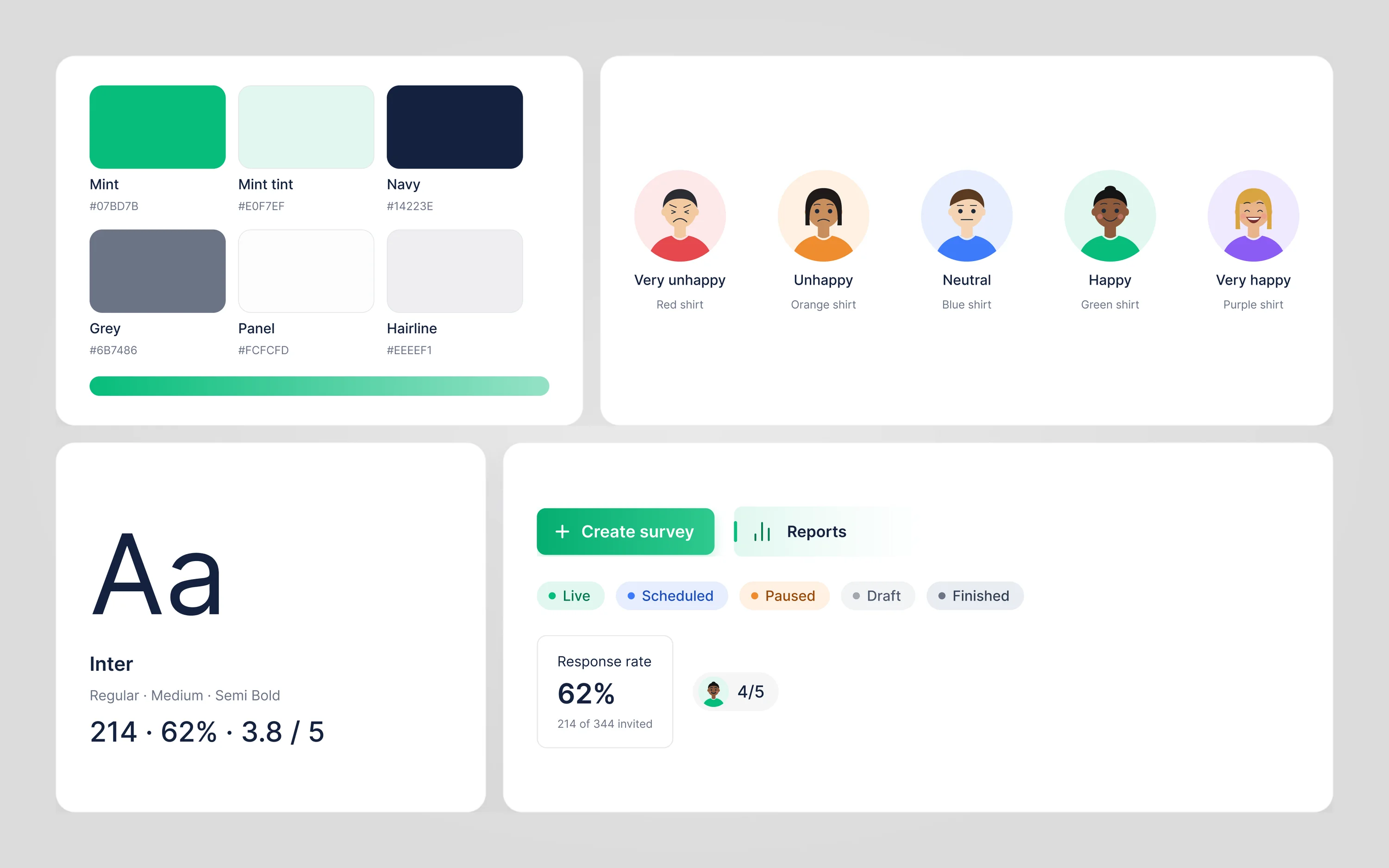
White surfaces, navy text and one mint accent keep the screens calm. Five illustrated people give the rating scale a human face, each in their own shirt colour, and Inter keeps the numbers clear.

CrewHR style tile with the mint, navy and grey palette, five illustrated people for the rating scale, Inter type samples, status pills and a Create survey button

Part of every shift team’s week.

I designed the UX/UI of CrewHR's feedback module: reports, surveys and the survey builder, distribution lists and the send schedule, plus the marketing website. Each part is designed to make it easy for shift teams to speak up and for managers to act on what they hear.

Next project03 / 15

Tasq

Find the well that needs you, then fix it.