OVERVIEW AND MAP
See where production is lost.
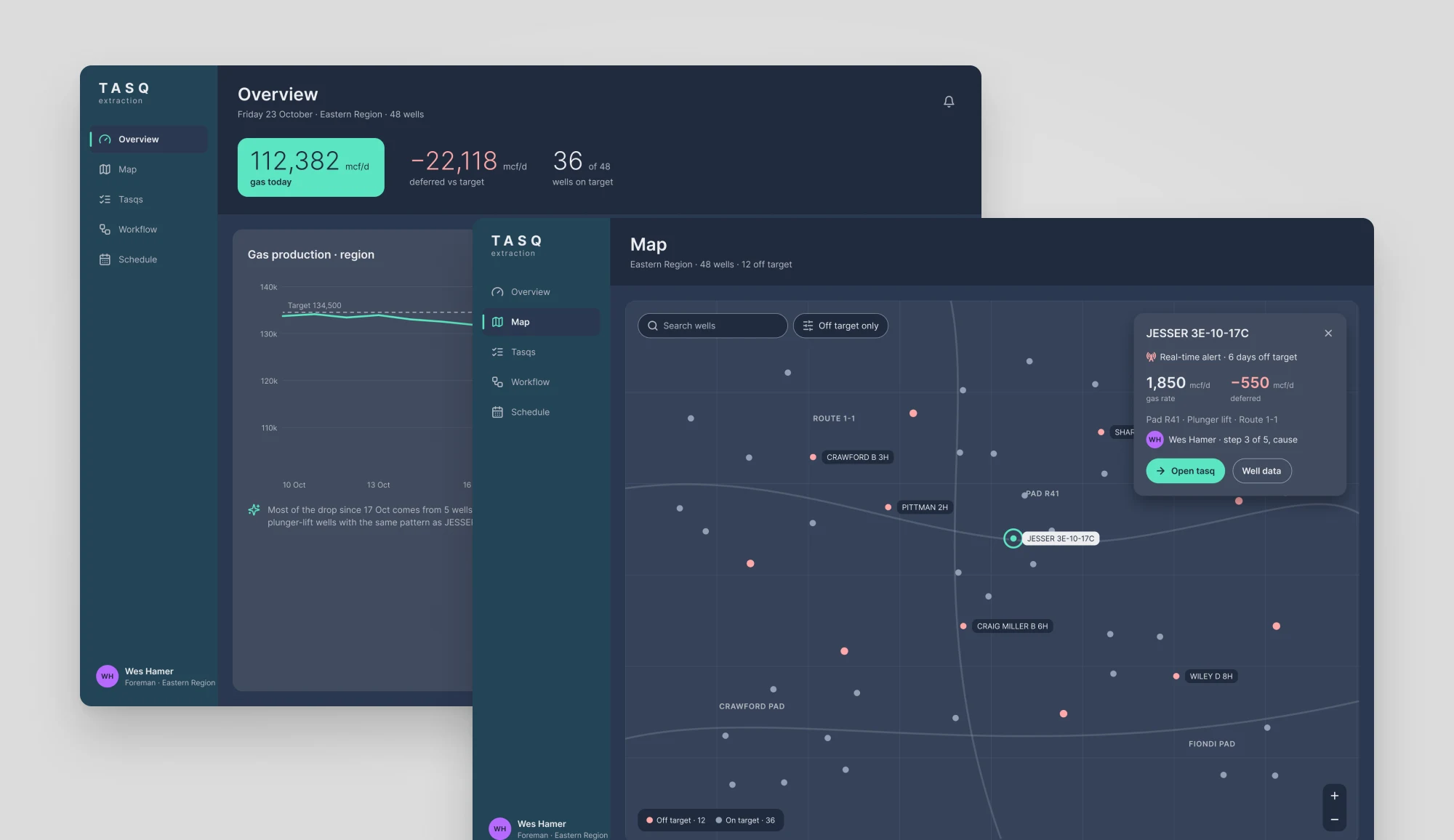
The overview compares gas with the target for the whole region and lists the wells pulling it down. The map puts those wells on the field, with a legend, search and an off-target filter.
Oil and gas · SaaS & Platforms
Find the well that needs you, then fix it.
Tasq is an AI layer for oil and gas operations. It watches well data and opens a tasq when a well drifts off target. Operators, foremen and engineers use the web app to find those wells and get them back on target. I designed the app's UX/UI.
The challenge
A small team of operators looks after dozens of wells spread along long routes. When a well drops off target, it loses gas every hour it waits. The app had to show where to go first and help people act on it.
Tasq AI can raise many alerts in a day. Operators and foremen need to see which wells lose the most production and who is already on it, without digging through long pages.
A drop shows up in gas rate, pressures and plunger cycles. People need to see what changed and when, and to know what each colour on a chart or map means.
The right fix depends on the cause, a set procedure and whoever is on that route today. Steps, checks and shifts have to sit next to the alert, not in another tool.
The approach
I designed the app around the question every shift starts with: which wells need me, and what do I do about them?
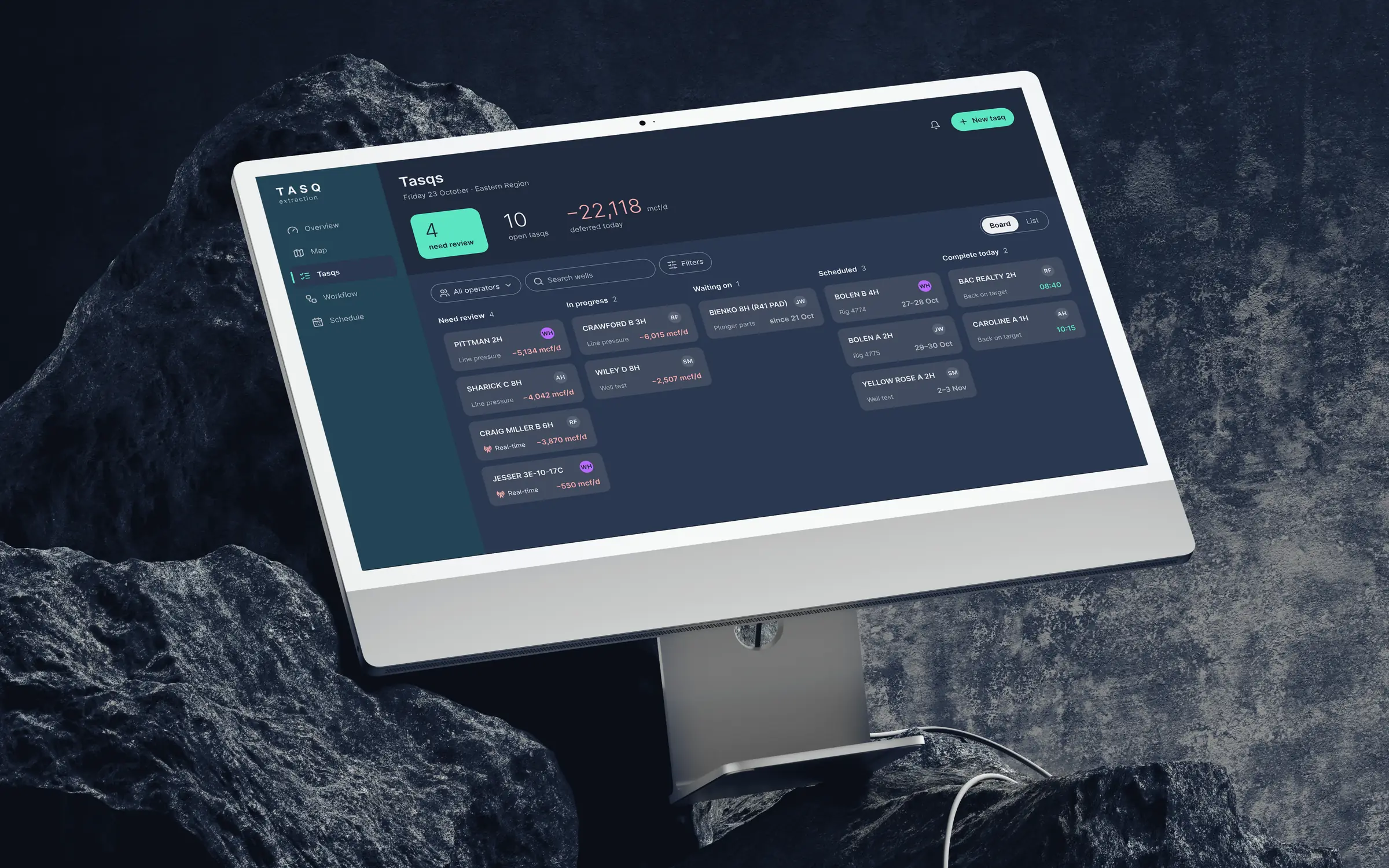
Every page opens with deferred production and the wells behind it. Cards show four things: the well, the issue, the volume and the owner. Everything else is a hover or a click away.
Each tasq walks through system, symptom, cause, action and result. Tasq AI suggests the likely cause from similar wells, and the action opens the right procedure form.
Dark navy surfaces with one mint accent. Every status has a label, filters live in one place, and each page fits on one screen.
In action
OVERVIEW AND MAP
The overview compares gas with the target for the whole region and lists the wells pulling it down. The map puts those wells on the field, with a legend, search and an off-target filter.
TASQS
A foreman picks a tasq from the board, checks the gas trend, chooses the cause Tasq AI suggests, logs the plunger replacement and closes the tasq once the well is back on target.
WORKFLOW
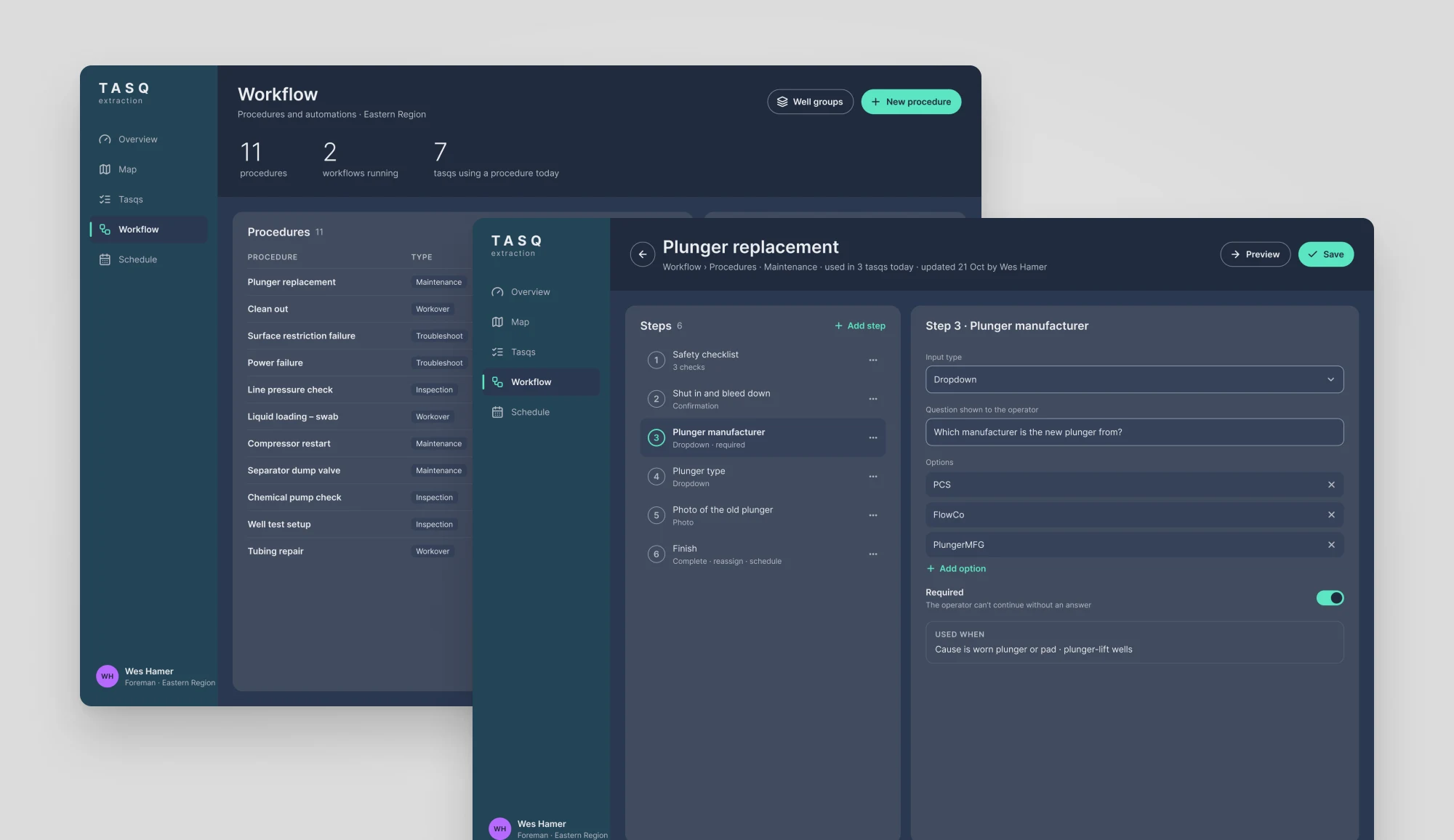
Engineers write each procedure step by step, with checks, questions and photos. Workflows start the right procedure when Tasq AI sees a known pattern, so every well gets the same fix.
SCHEDULE
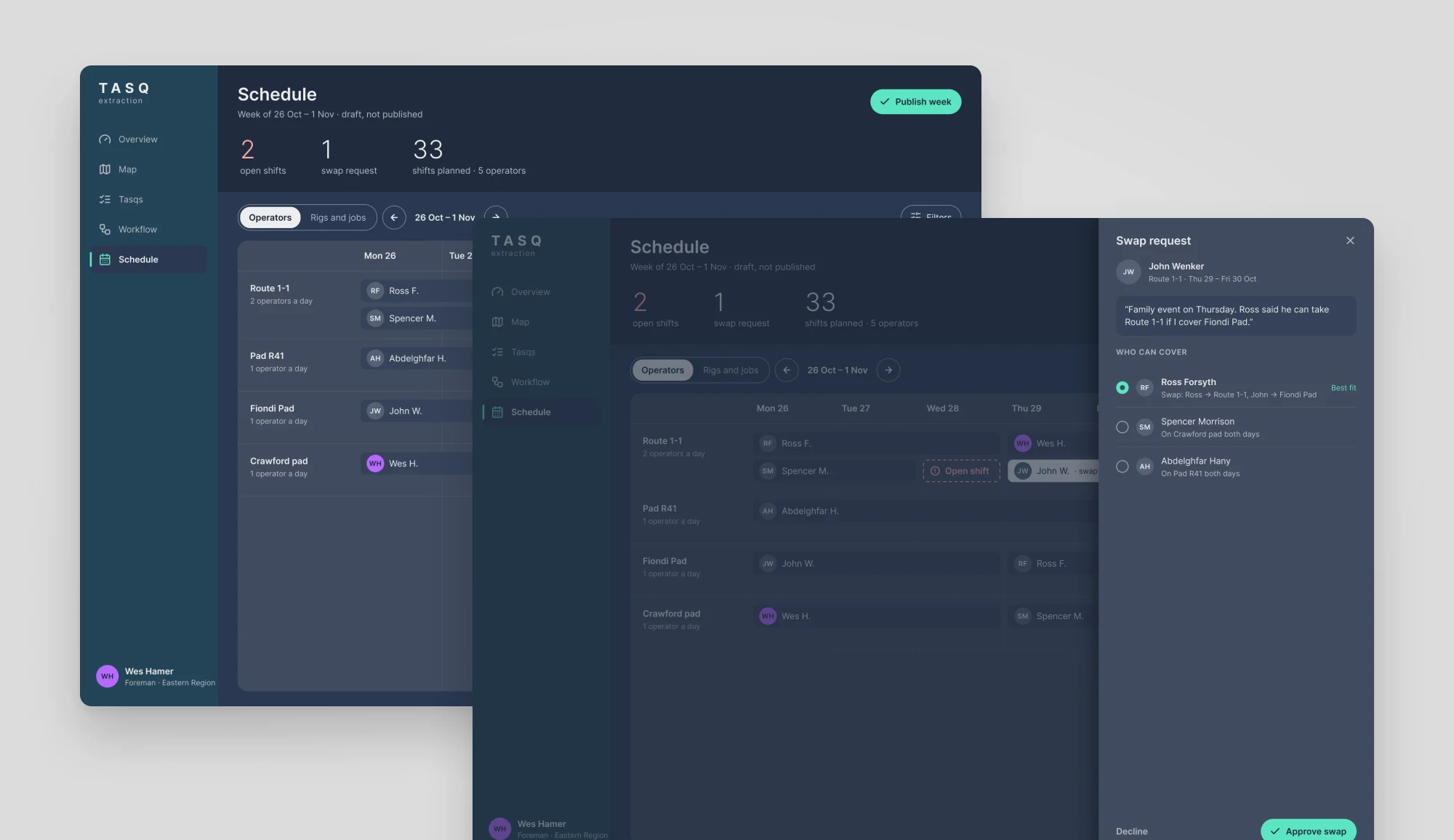
Foremen plan the week by route and pad, spot open shifts straight away and approve swap requests with a suggested cover.
Design language
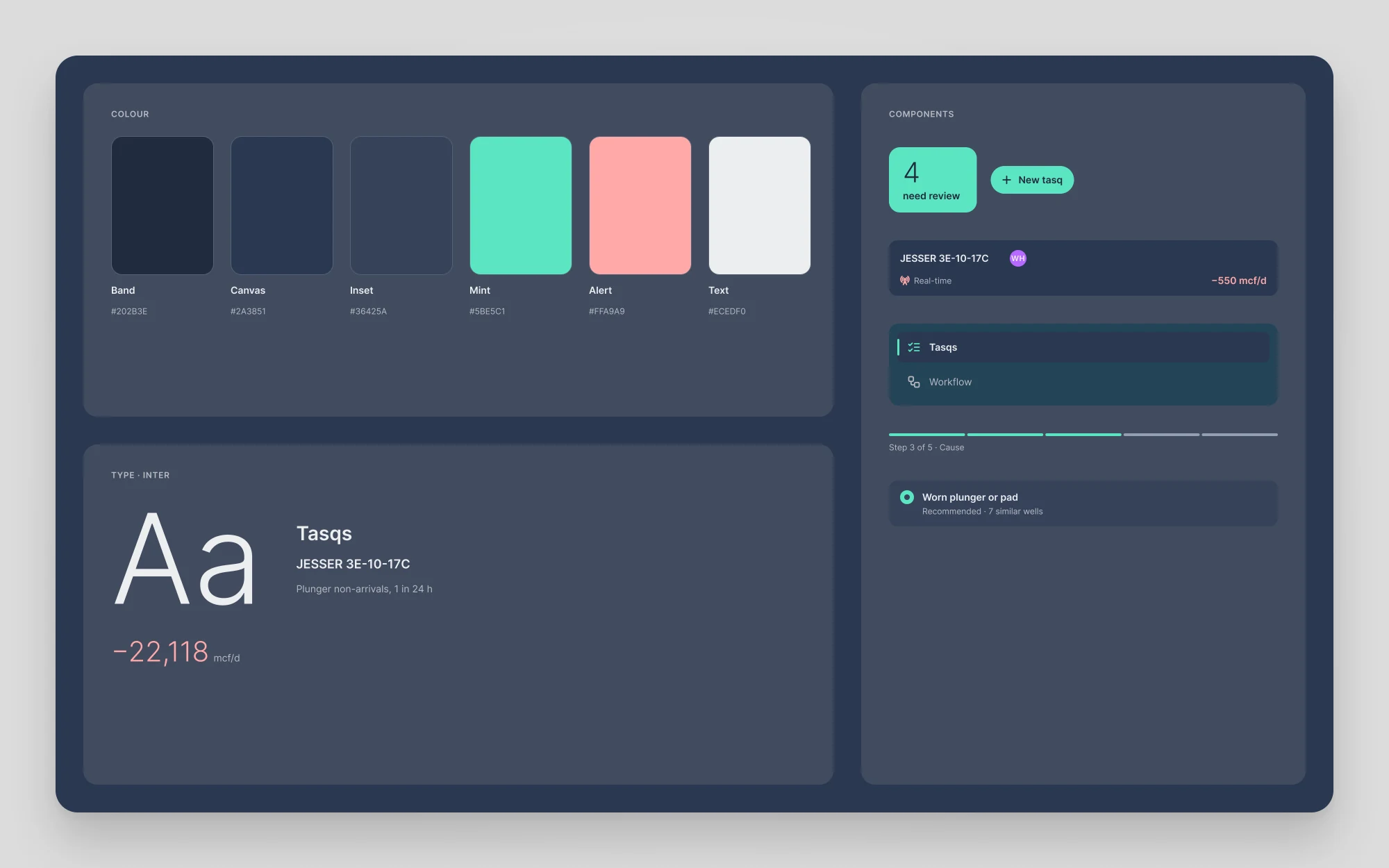
Navy surfaces and slate cards stay easy on the eyes through a long shift. Mint marks the one action that matters, soft red marks lost production, and Inter keeps the numbers clear.
I designed the UX/UI of the Tasq web app for operators, foremen and engineers: the overview, the map, the tasq board and detail, workflows and the schedule. Each page answers two questions: what needs attention, and what to do next.