← All work

Healthcare, robotics · iPad Design

MedBot

Clean rooms, run from a tablet.

MedBot makes a robot that disinfects hospital rooms with UV-C light. Staff run it from an iPad: they map rooms, plan disinfection tasks, check the room is safe and watch the robot work. I did the discovery, user flows, wireframes and UI design for the app.

Role
Discovery, user flows, wireframes and UI design
Industry
Healthcare, robotics
Platform
iPad app
Scope
Two experiences, nine flows
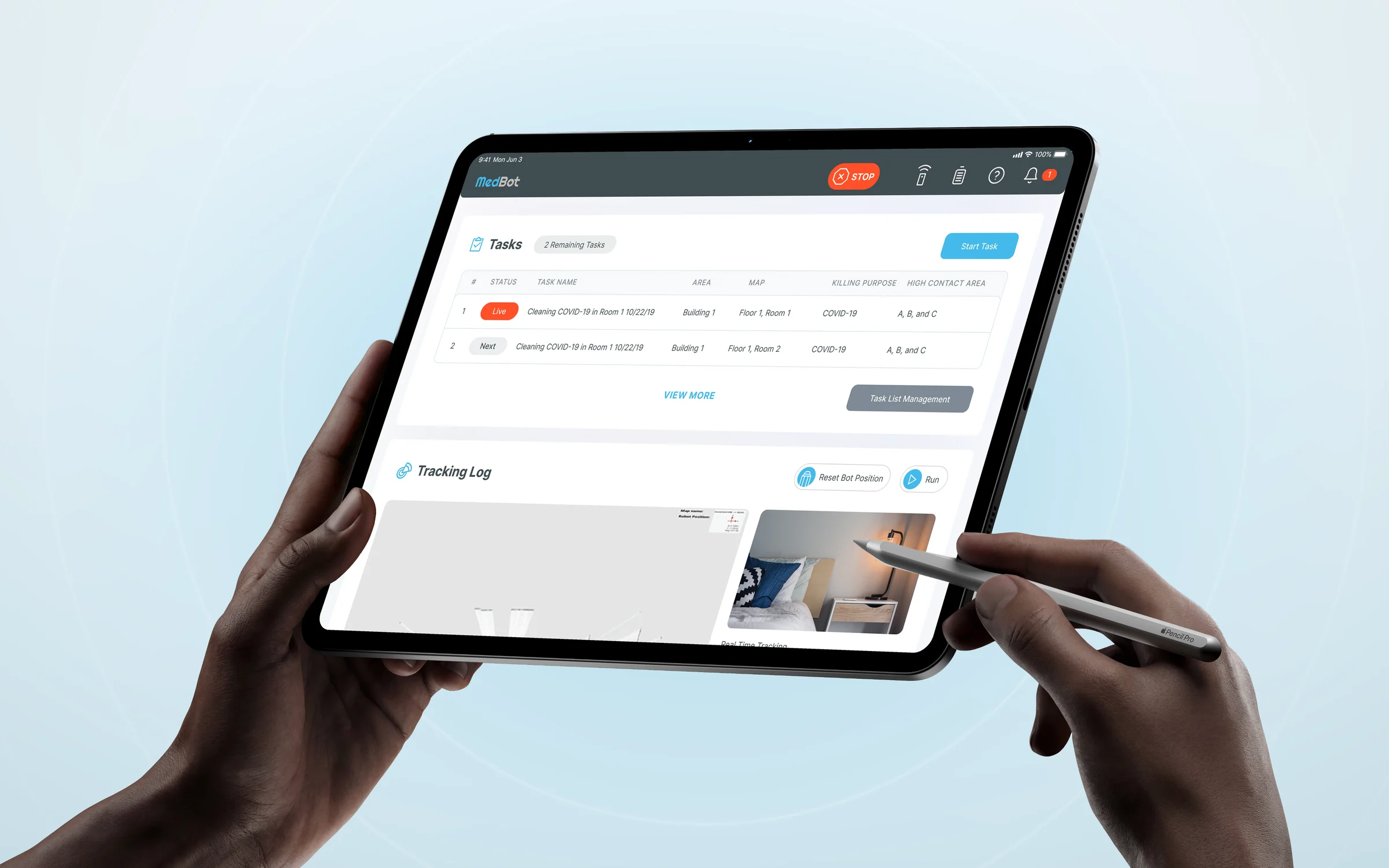
The MedBot app on an angled iPad: today's tasks with one running, a map of the robot's route, a camera view of the room and the list of disinfection steps

The challenge

A powerful robot in a busy hospital.

UV-C light kills germs on surfaces, and it can also harm people. The robot works in rooms that staff use all day. The app had to make every run safe to start and easy to follow from across the room.

The approach

Two ways in, one safe way to start.

Discovery with the MedBot team showed two kinds of users and one rule that never changes: check the room before the lamp goes on.

  1. 01

    Two experiences for two kinds of people.

    Testing with real users showed that map building suited tech staff but lost cleaners. I kept the full tools for tech staff and designed a guided flow for everyone else: teach a path or drive the robot by remote control, one step per screen.

  2. 02

    A safety check before every run.

    Every path to Start ends with the same checklist and a short countdown. The STOP button stays in the header on every screen.

  3. 03

    Status at a glance.

    Home shows what the robot is doing now: the current task, its route on the map, a live camera view and each step marked as done or failed.

In action

A day with the robot.

TODAY'S TASKS

From the task list to a safe start.

From Home, an operator opens today's tasks and manages the list: reorders it, removes a task and adds another. Then they set the disinfection goal, do the safety checks at the robot and follow each task from ready to running to done.
MAPS · FOR TECH STAFF

Build the map the robot follows.

Tech staff build each map in detail: select the area, let the robot scan it, then add stop points, high-touch surfaces and the path width. It's powerful, but it's technical.

TEACH AND TASK · FOR CLEANERS

Show the robot the way, once.

When I tested map building with real users, cleaners found it too technical. So I designed Teach and Task: a guided flow where they mark the start, walk the robot along its path once and run the safety check. One step per screen, no map tools.

REPORT CENTER

Proof that every room was done.

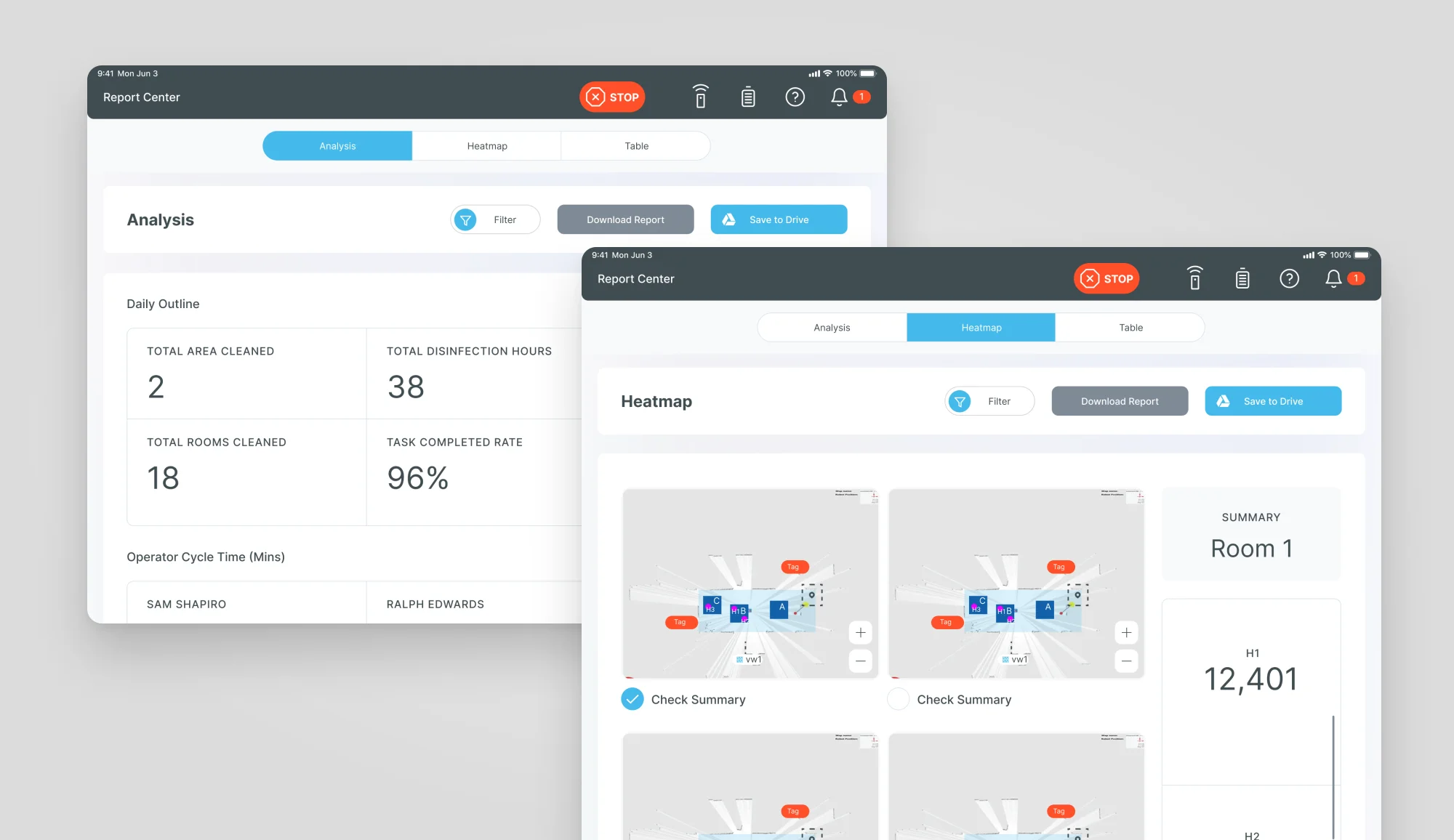
Managers see the day's numbers: rooms cleaned, disinfection hours, area covered and completed tasks. A heatmap shows where the robot spent its UV time in each room.

Two MedBot report screens on an iPad: the daily outline with 18 rooms cleaned, 38 disinfection hours and 96% of tasks completed, and heatmaps of where the robot spent its UV time

Design language

Calm enough for a hospital ward.

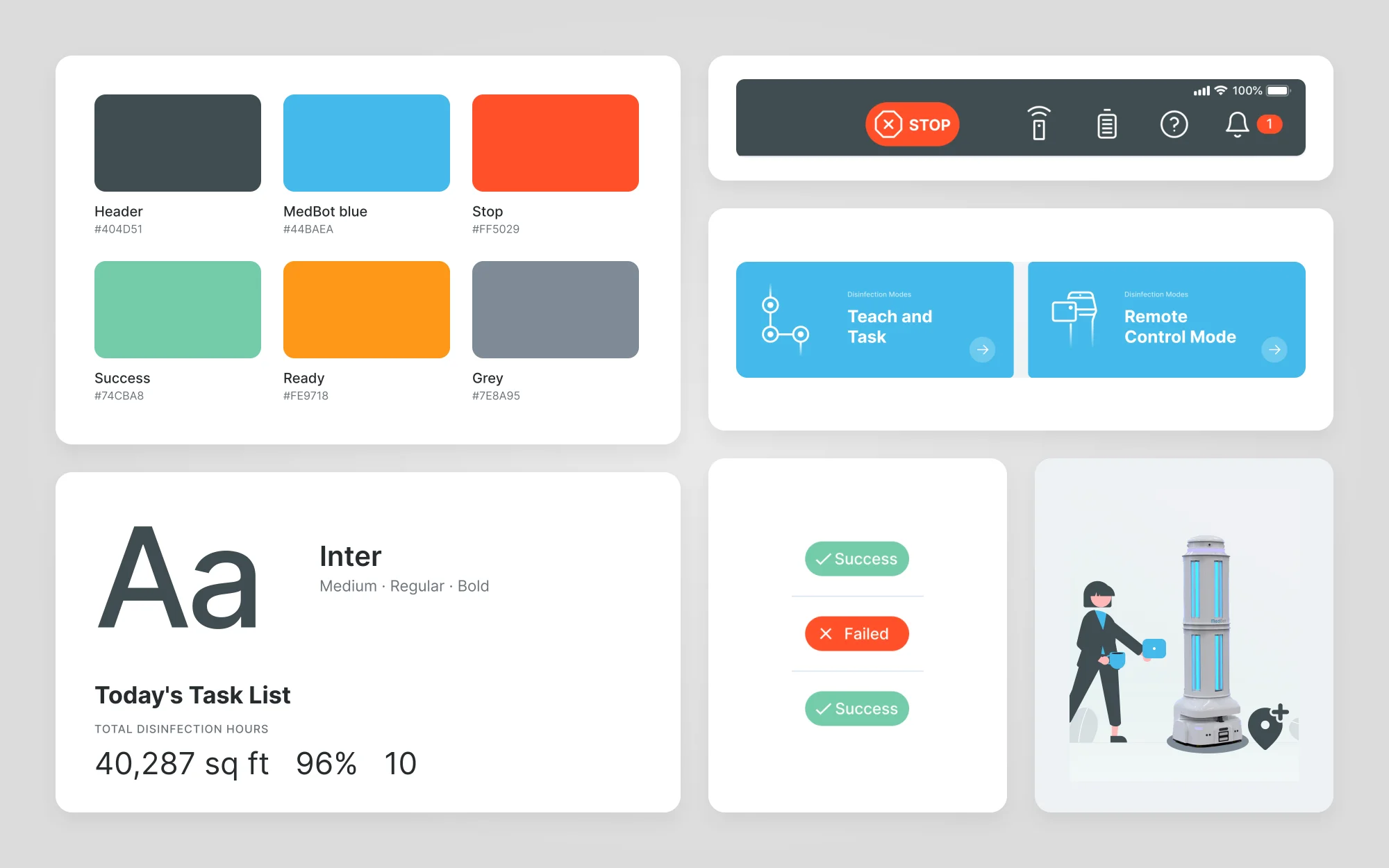
A dark slate header holds the controls that matter everywhere, with STOP always in reach. White cards on a light grey page keep tables and maps easy to scan. MedBot blue marks the main action, and status always has a word as well as a colour.

MedBot style tile with the slate, blue and orange palette, type samples, the app header with its STOP button, status chips, a primary button and the robot illustration

Every run starts with a check.

I worked with MedBot from discovery to UI design: the user flows, wireframes and screens for tasks, maps, teaching, remote control and reports. Every run, in either experience, ends in the same safety check.

Next project05 / 15

uLab

A shared workspace for aligner cases.