← All work

Real estate, master developer · SaaS & Platforms

Meraas

From first search to a booked unit.

Meraas is a Dubai developer behind communities like Bluewaters, City Walk and La Mer. Its sales team needed one portal to find homes for each buyer, follow them from lead to account, and book units on a payment plan. I did the product design for that portal, on desktop and mobile web.

Role
Product design
Scope
Sales portal, desktop and mobile web
Industry
Real estate
Year
2018
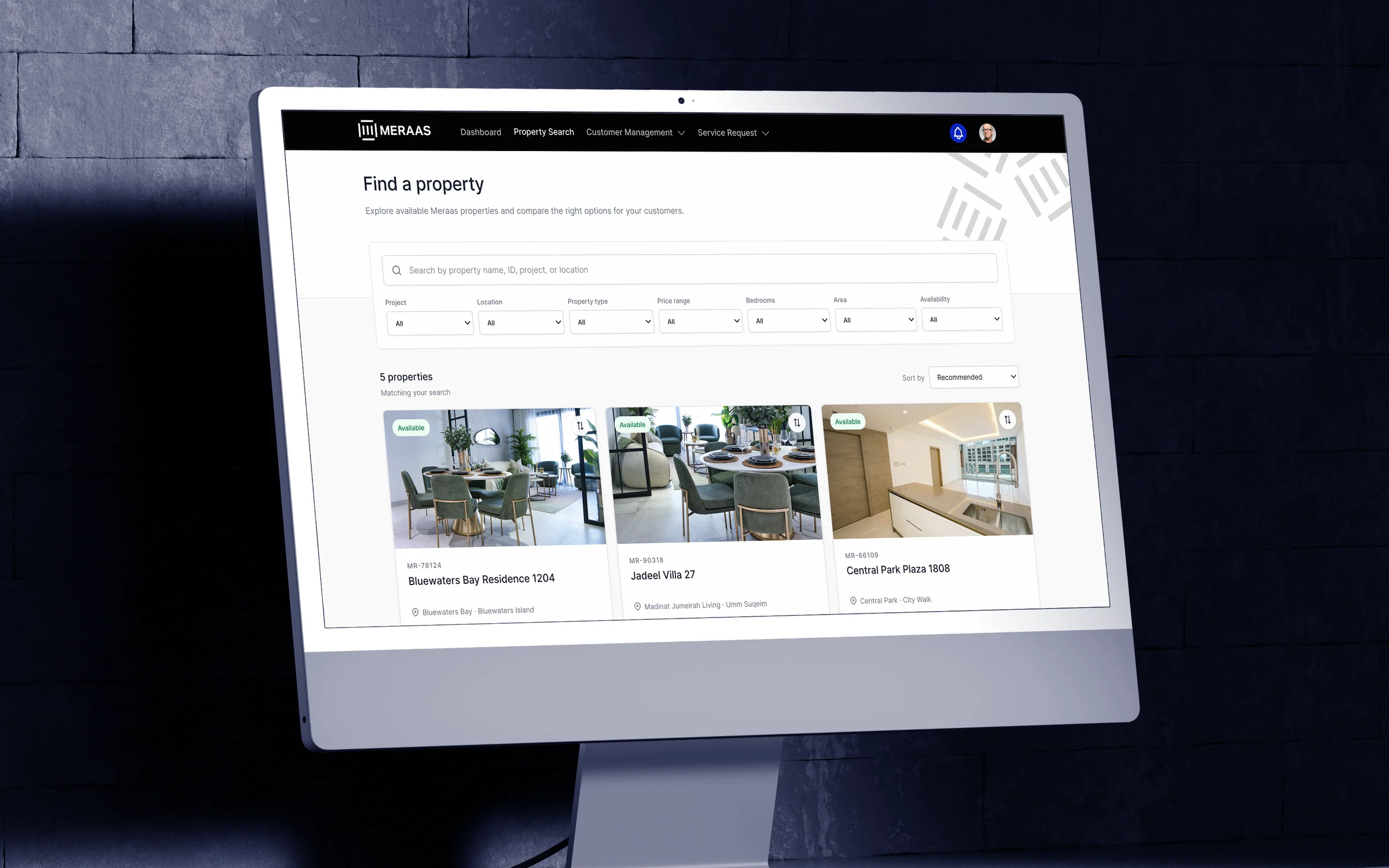
The Meraas sales portal on an angled desktop monitor: Find a property, with search filters and cards for Bluewaters Bay Residence 1204, Jadeel Villa 27 and Central Park Plaza 1808 with their prices

The challenge

One buyer, many homes, and a sale with many steps.

A Meraas sale starts with a person who is curious about a home and ends with a booked unit and a payment plan. In between, the sales team searches, shortlists, follows up and checks what is still available.

The approach

Keep every sale moving to its next step.

I designed the portal around the path a sale takes, so the next action is always the obvious one.

  1. 01

    One path from lead to booking.

    Leads, accounts and opportunities share one page layout. Each has one main action at the top: Convert to account, then Book opportunity.

  2. 02

    Search that starts from the buyer.

    Filter by project, location, type, price and bedrooms, compare up to four homes in a tray, and add any home to a lead, account or opportunity in two clicks.

  3. 03

    Booking in two steps.

    Pick units from a live list where unavailable units are greyed out, then choose a payment plan. A booking summary stays beside the plans, so the total is always in view.

In action

One buyer's purchase, step by step.

START THE DAY

See what's waiting.

The dashboard shows how opportunities are trending, units this week against last week, opportunities waiting for approval, open service requests and the latest announcements from the team. The same view works on a phone.
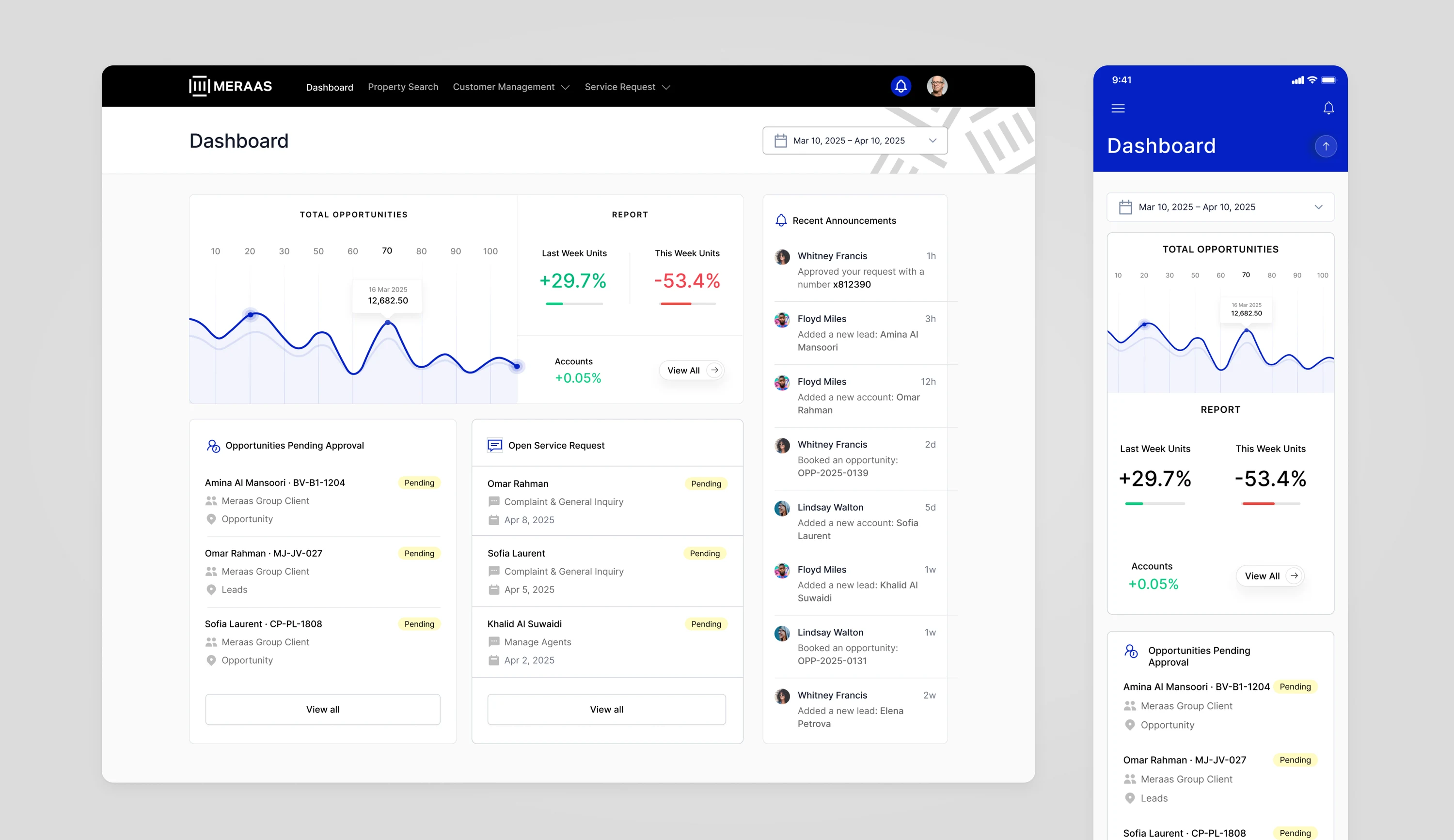
The Meraas sales dashboard on desktop and mobile: a total opportunities chart, weekly units up 29.7% and down 53.4%, opportunities pending approval, open service requests and recent announcements

NEW LEAD, FIND AND COMPARE

From a new lead to a shortlist.

Amina calls about a home near the sea. The sales engineer adds her as a lead, searches Meraas homes, picks two, compares them side by side and adds Bluewaters Bay Residence 1204 to her lead.

LEAD TO ACCOUNT

Turn interest into a customer.

Amina's lead keeps her details, her answers to the qualifying questions, notes and activities in one place. When she is ready to buy, one click converts the lead into an account, ready for a booking.

ACCOUNT TO OPPORTUNITY

Book a unit from the account.

The engineer opens Amina's account, starts a new opportunity with Book Opportunity, picks BV-B1-1204 from the units still available and chooses the 40/60 plan. Booking it creates the opportunity with its own reference.

Design language

Black, white and one strong blue.

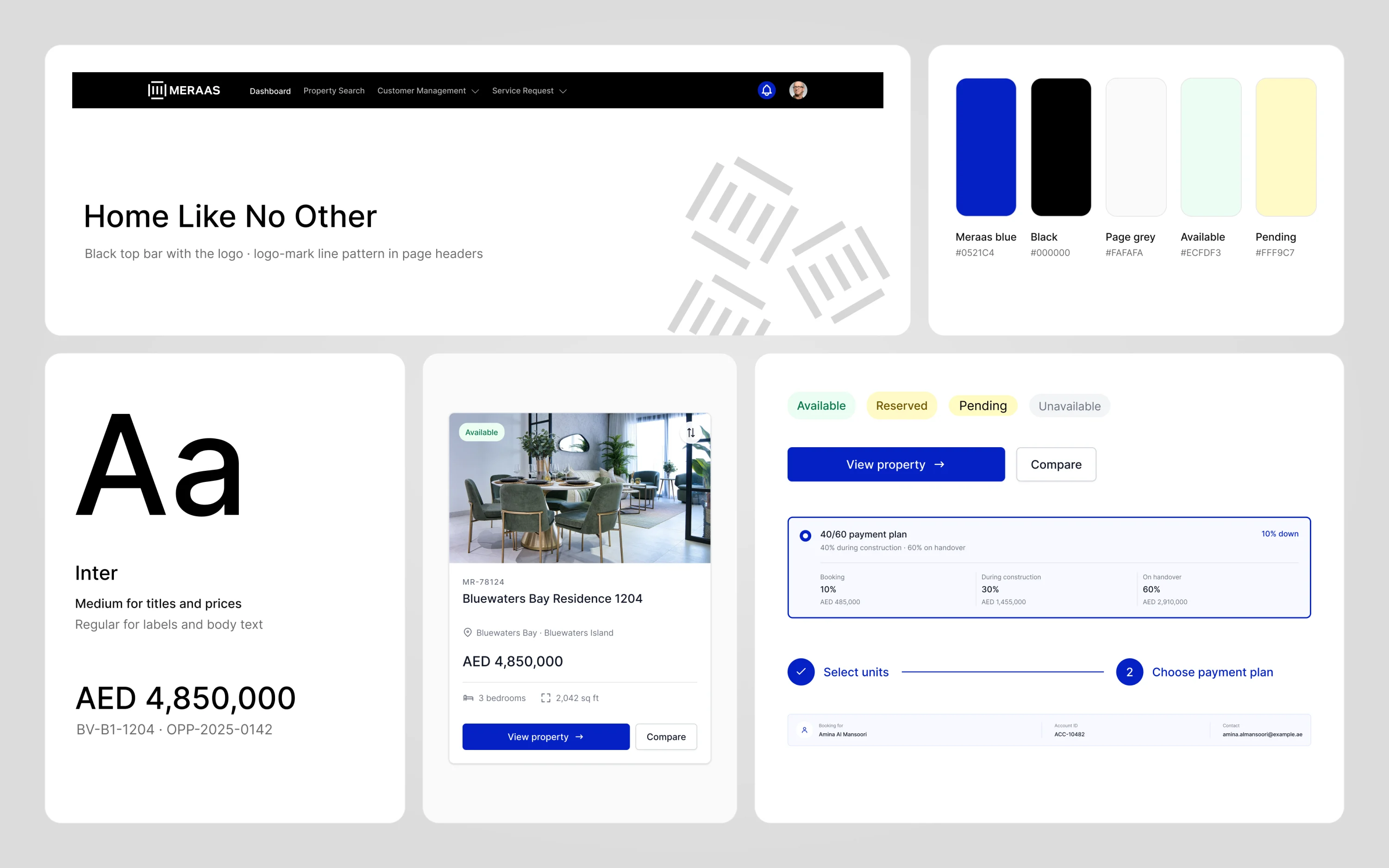
The portal takes its look from Meraas: a black top bar with the logo, white cards on a light grey page, and one strong blue for every main action. Lines from the logo mark sit quietly in the page headers. Inter keeps prices and unit codes easy to read, and soft tags show what is available, reserved or pending.

Meraas style tile with the black top bar and logo, the logo-mark line pattern, Meraas blue, black and light grey swatches, Inter type samples, a property card, status tags and a payment plan

One portal for the whole sale.

I did the product design for the Meraas sales portal: the dashboard, property search and compare, leads, accounts and opportunities, and the booking flow, on desktop and mobile web. Each screen is designed so the sales team can see where every buyer stands.

Next project10 / 15

MessageLab

Know how a message lands before it goes out.