GET STARTED
From sign-up to the first project.
Sign up with email or Google, confirm the code, then tell MessageLab how big your team is and what you want to test. A short form creates the first project and the workspace is ready.
Communications and PR · SaaS & Platforms
Know how a message lands before it goes out.
MessageLab lets PR, political and communications teams test a slogan, statement or document on AI personas and cohorts. Each audience answers with a reaction, a quote and the reasons behind it. I designed the product's UX/UI.

The challenge
Comms teams write for people they rarely get to ask: voters, policy makers, clients, a whole country. Polls and focus groups take weeks. The product had to give them a fast, honest read before launch.
Teams need to know how a line will land with each audience, and what makes it fall flat, while there is still time to change it.
A message for Dutch teachers is not a message for EU influencers. Finding the right personas and cohorts in a large library has to be quick and precise.
AI answers are only useful if a strategist can read them at a glance, ask why, and share the result with the team or the client.
The approach
I designed the product around the loop every comms team repeats: write the message, choose who hears it, read what they think, improve it.
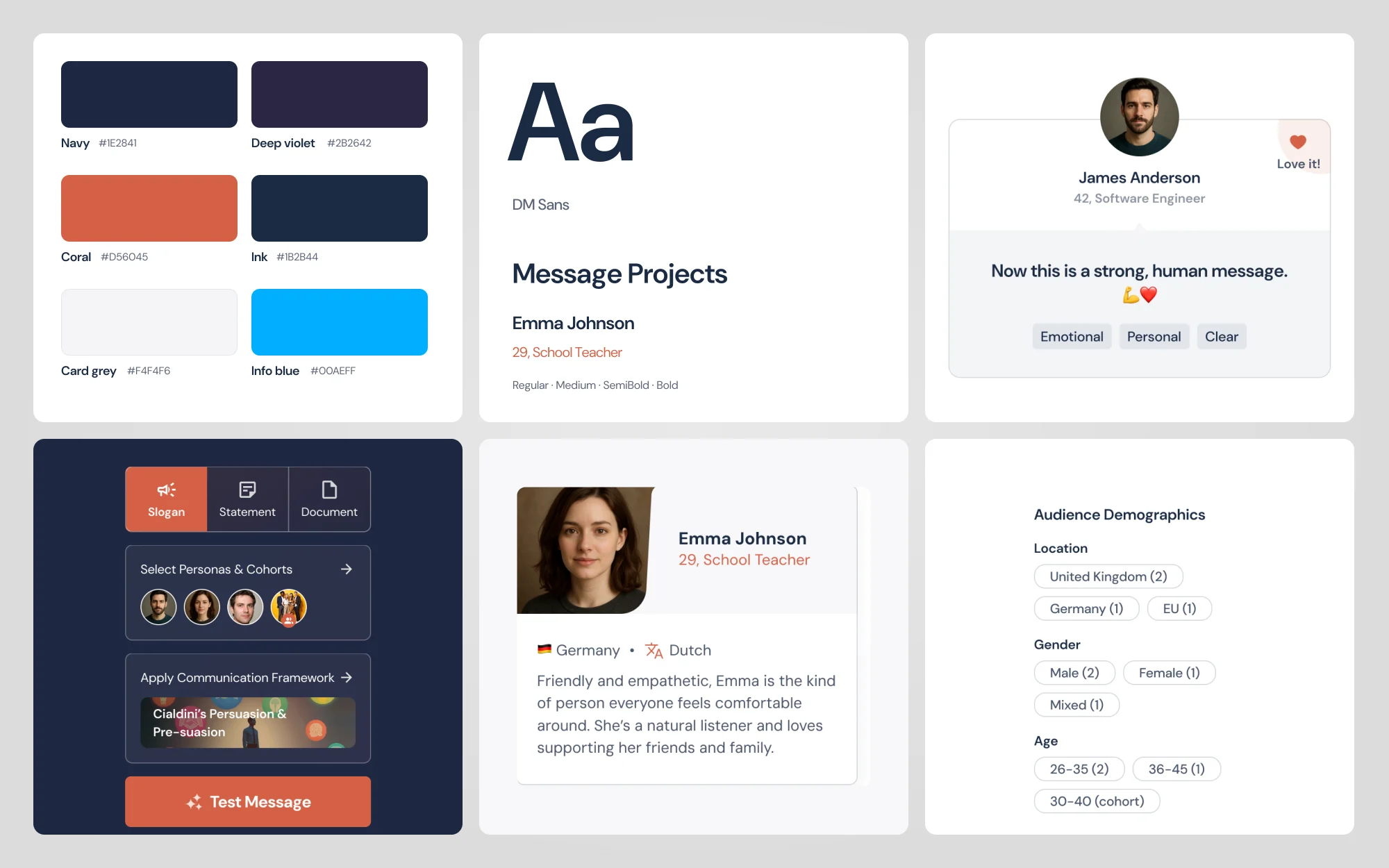
The left panel holds the whole test in order: message type and text, the audience, an optional framework such as Cialdini's principles, then Test Message.
Results use progressive disclosure. The first view shows one reaction and one line per audience. Pick a persona to open their reasons and highlights, and chat with them only if you need to know more.
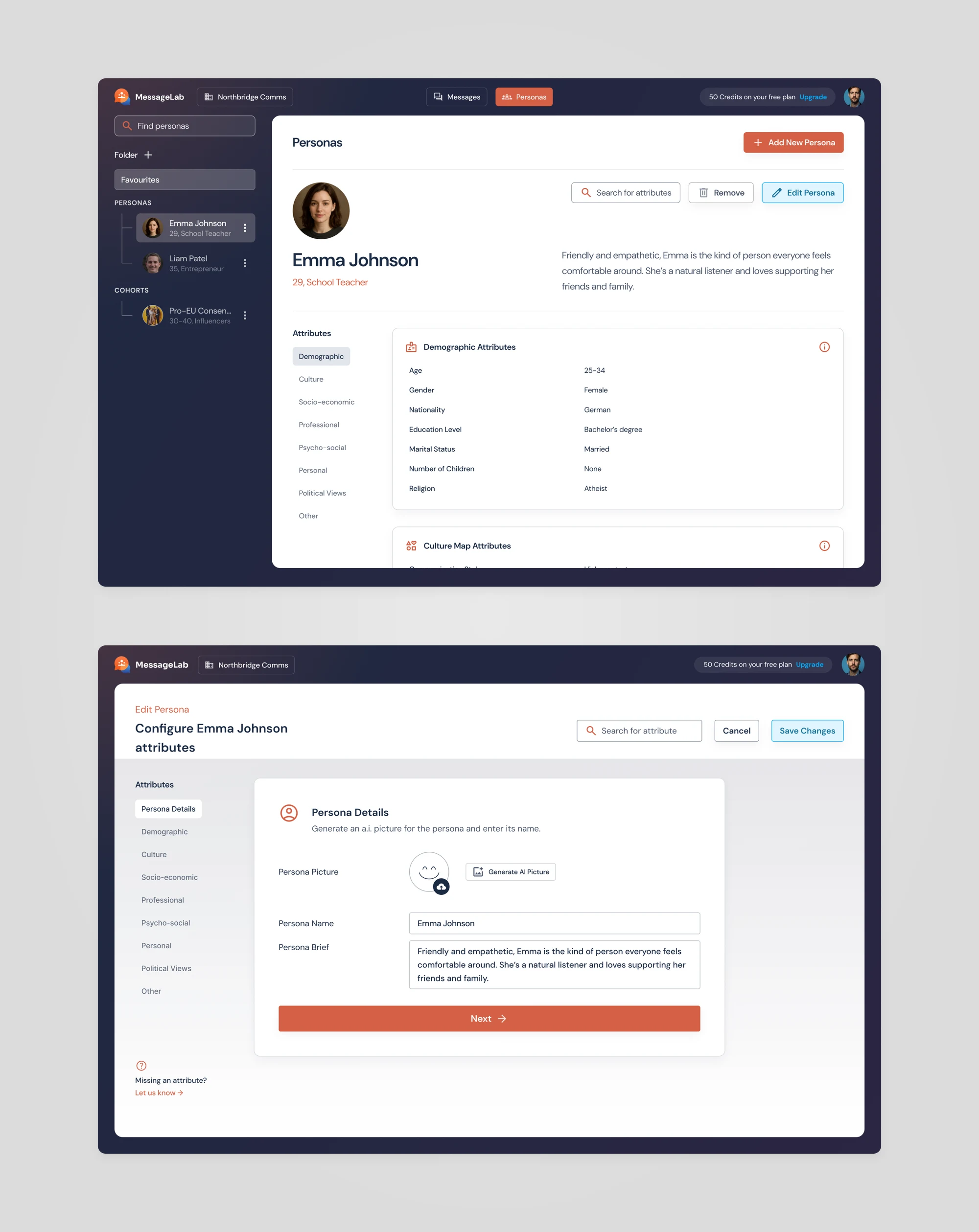
Each persona is a person with a face, a short bio and attributes grouped the way strategists think: demographic, culture, socio-economic, professional, psycho-social and political views.
In action
GET STARTED
Sign up with email or Google, confirm the code, then tell MessageLab how big your team is and what you want to test. A short form creates the first project and the workspace is ready.
TEST A MESSAGE
Type a slogan, statement or document, choose personas and cohorts from the library, and add a framework if you want one. One click later, each audience has answered.
FROM OVERVIEW TO DETAIL
AI feedback can be long, so results open in layers. After Test Message, each audience shows one reaction and one line. Pick a persona to see their full answer and quotable highlights, then chat with them to ask why. When the story is clear, share a link with the team or the client.
PERSONA LIBRARY
Every persona has a face, a short bio and attributes grouped by theme. Edit them step by step, or add your own to the library and keep favourites in folders.
Design language
A deep navy frame holds the tools, and the work sits on a white page in the middle. One coral accent marks the next step. DM Sans keeps long feedback easy to read, and real faces make every audience feel like people.
I designed the MessageLab web app: sign-up and workspace setup, projects, the message workspace with persona feedback, chat and sharing, the persona library and the account and team settings.